TensorCheck - Software
The software permits to set automatically the instrument according to the selected test procedure, to perform the tests, to prepare test reports, to store curves and data.
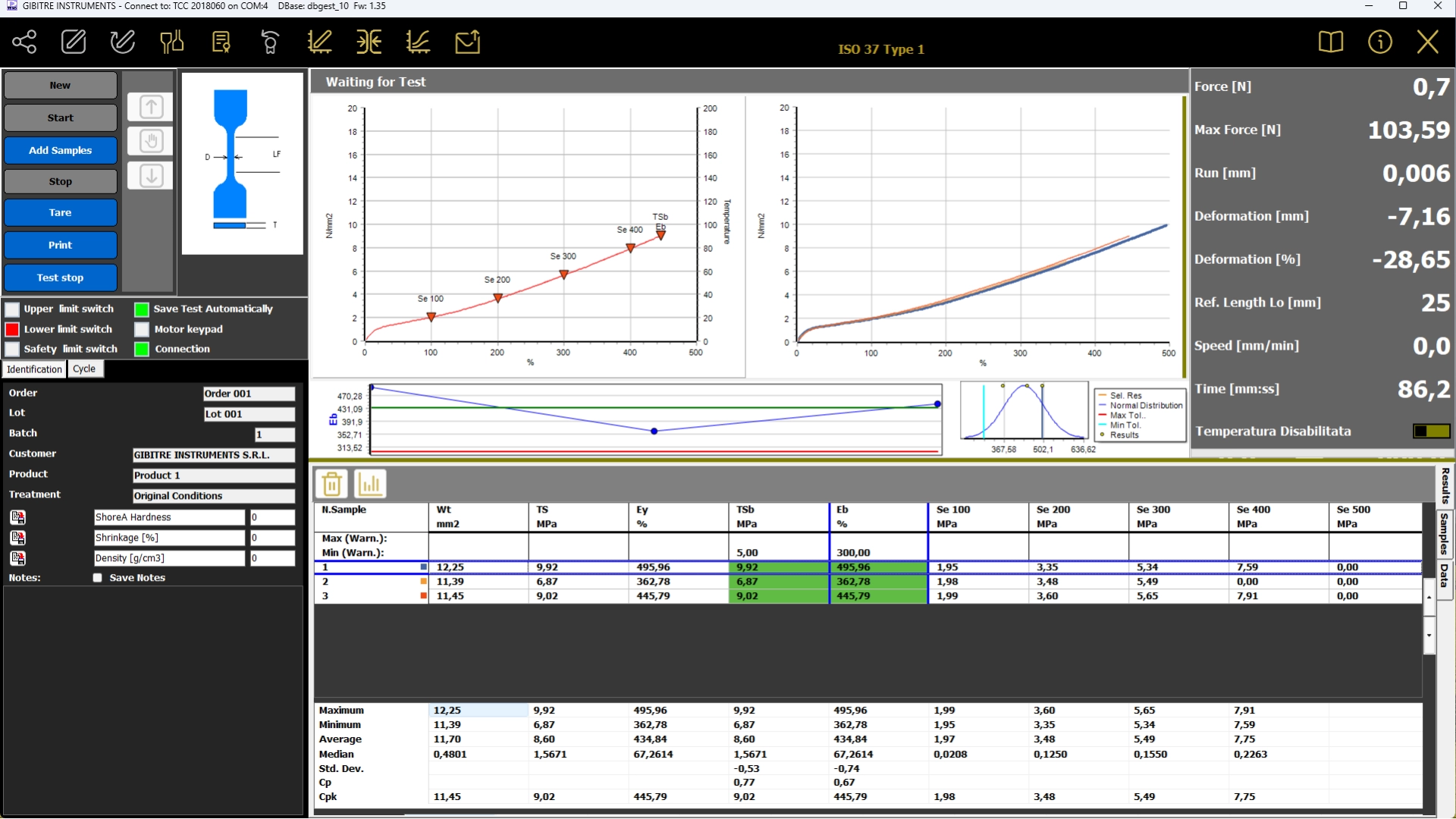


Pre-Installed Test Procedures 
The SQL database that is installed together with the instrument contains a collection of Test Procedures relating to standardized methods for Tensile, Tear, Compression, Peeling tests, etc.
The procedures refer to standards for Rubber, Technical Articles, Plastic, Geotextile materials, Cables, Pipes, Metal wires, Adhesives, etc.


Test Procedures 
Test procedures contain:
• settings for automatic instrument adjustment
• The cycle for performing the test
• the list of results to be calculated on the basis of what is required by international standards.

• The Datagest program allows you to: copy, modify, create Test Procedures to adapt them to your needs.

• Test procedures can be exported and imported. This allows Gibitre Remote Support to help you in the preparation and testing of customized Test Procedures.
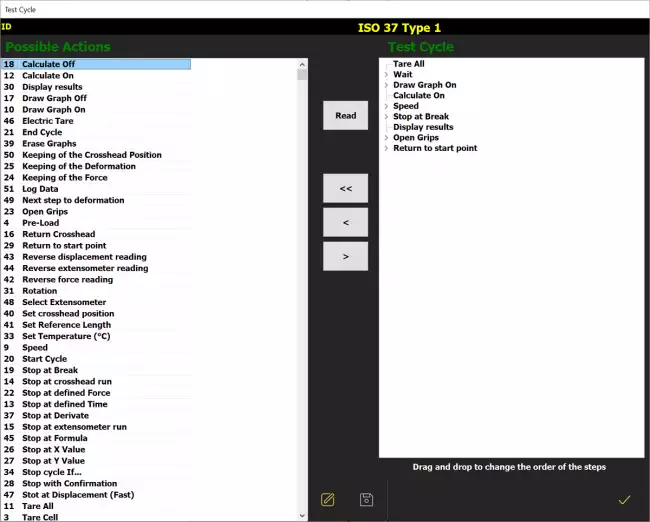

Insert Sample Thickness 
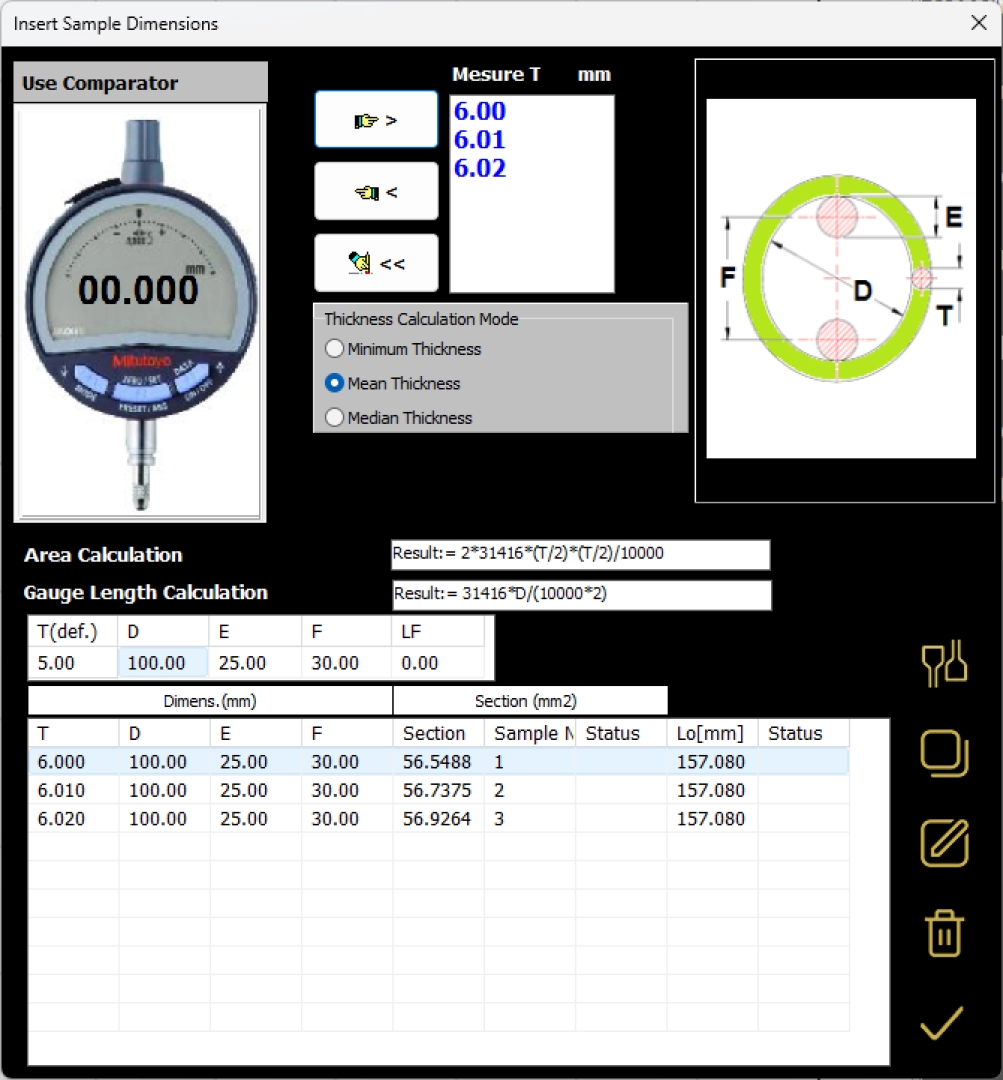
The instrument can be equipped with a digital thickness gauge for direct insertion of the specimen thickness.
The software:
• Receives the thickness measured in several points
• Calculate the average thickness (or minimum or median according to the norm)
• Calculates the section of the specimen based on the calculation formula defined for the type of specimen in use.

The integration with the thickness gauge allows to insert the section of the whole series of specimens that you have to try in a few seconds.
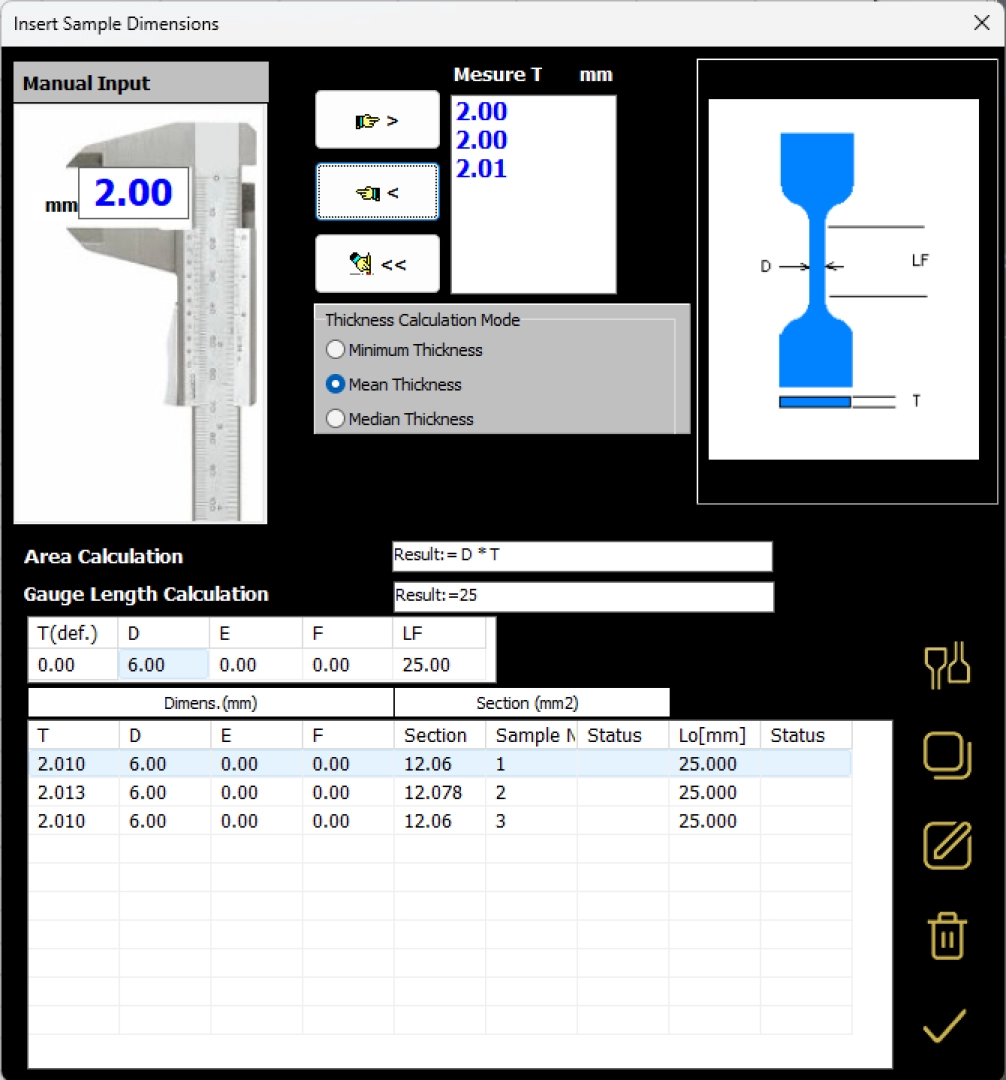


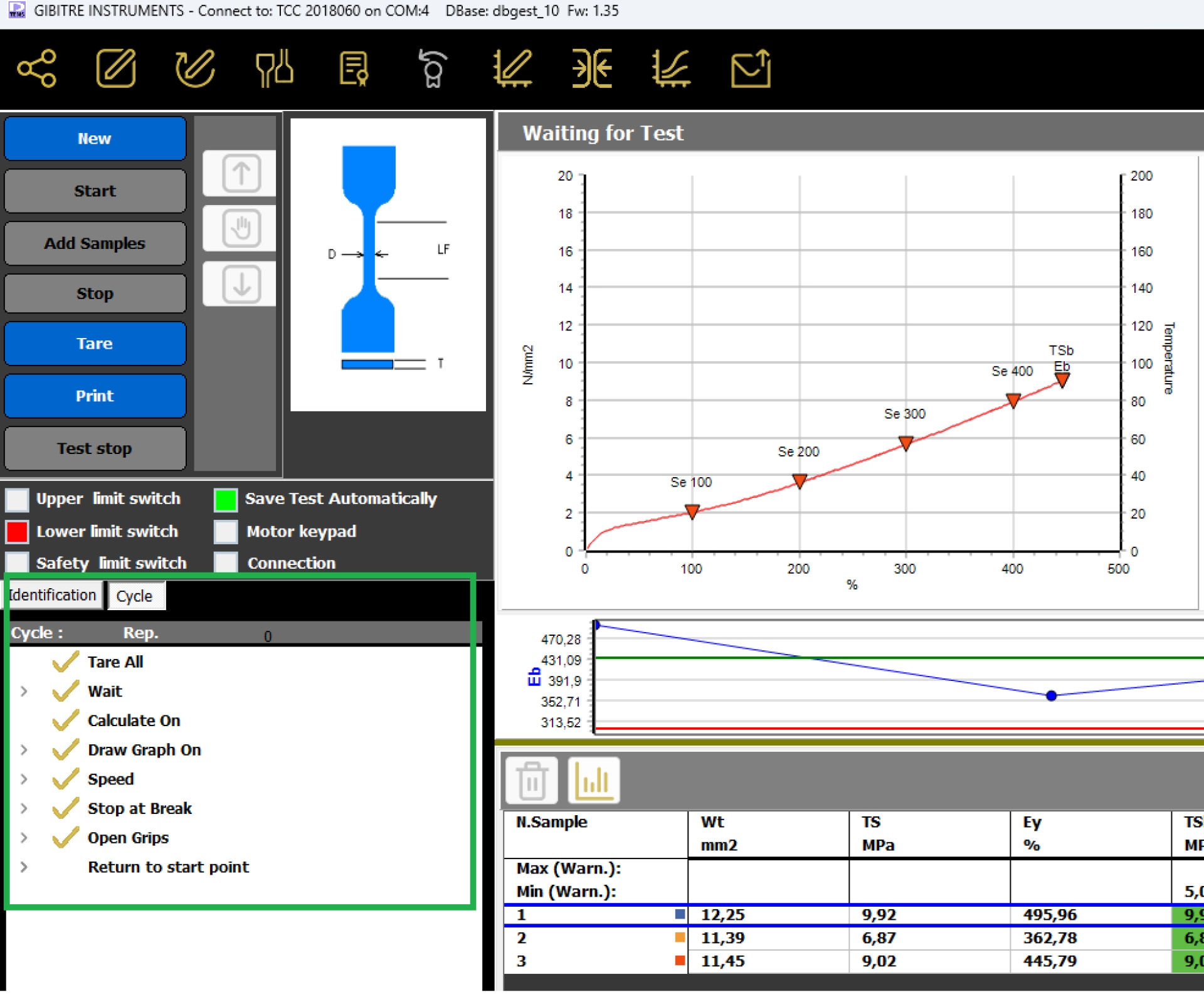
Management of Test Cycle 
Each test procedure uses a test run cycle.
The test cycle of the pre-installed procedures is already inserted and guarantees the execution of the test as required by the reference standard.
The test cycle configuration page allows the user to:
• prepare Test Procedures that perform cycles required by your product specifications
• develop fully customized test methods for study or research.

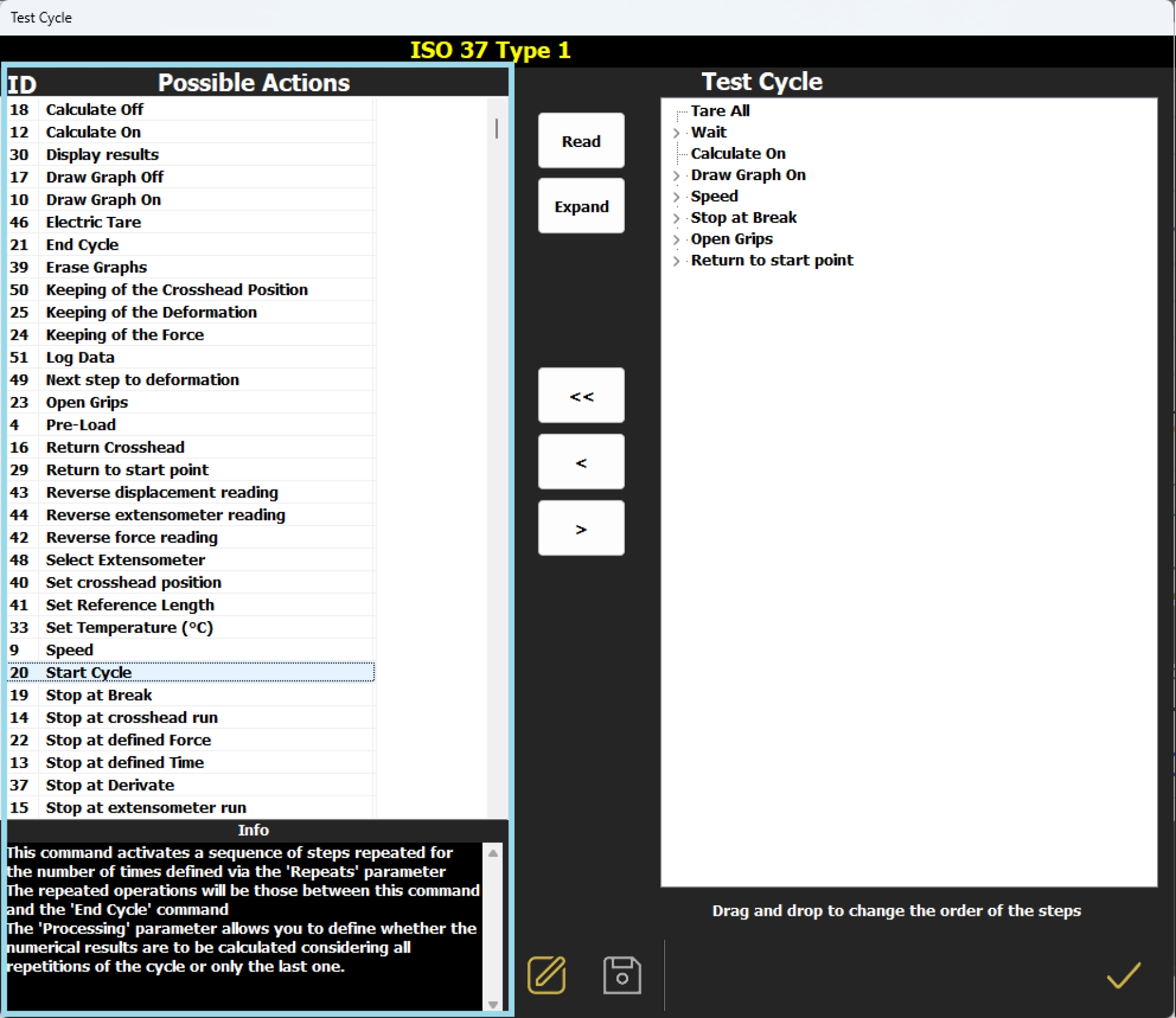
The cycle consists of a sequence of elementary instructions executed in sequence. The elementary instructions allow to control all the functions of the instrument and to carry out repeated operations in a cyclical way.

Our Remote Assistance service is at your disposal to assist you in creating even complex cycles and to send you ad-hoc prepared procedures for you that you simply need to import via the import command.
Setting up test procedures has never been easier!

Management of Test Results 
The results and test curves of all the tests carried out are saved in the Gibitre SQL database and are available through the Datagest program.

Datagest is the Laboratory Information Management System (LIMS) which is always installed in combination with all Gibitre instrument-control programs.
The program is the collector for all the test result produced with the instruments connected and permits to manage the common Archives used by the instruments (Product List, Customer List, Tolerance limits, Order List, etc)


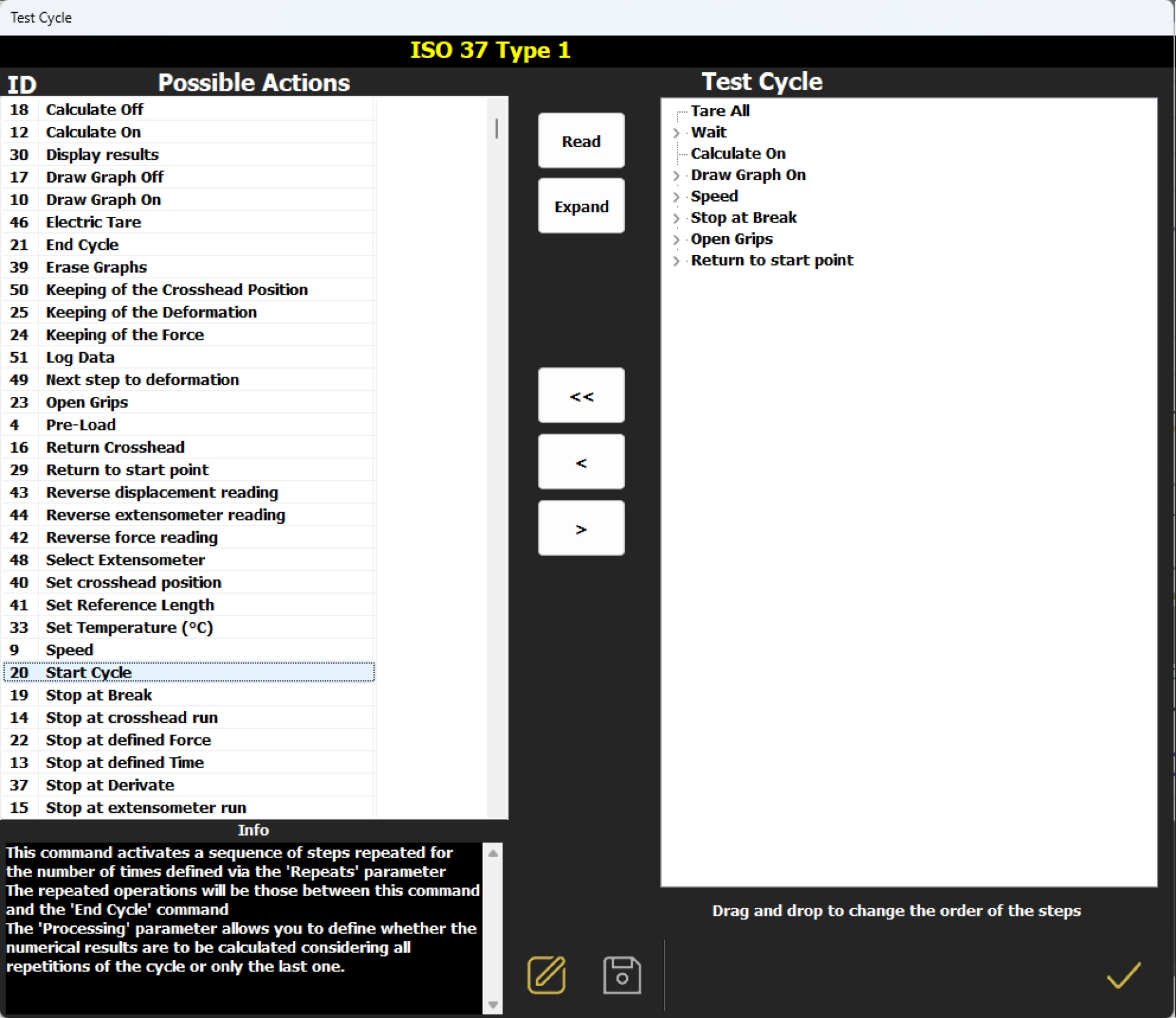
Test Curves 
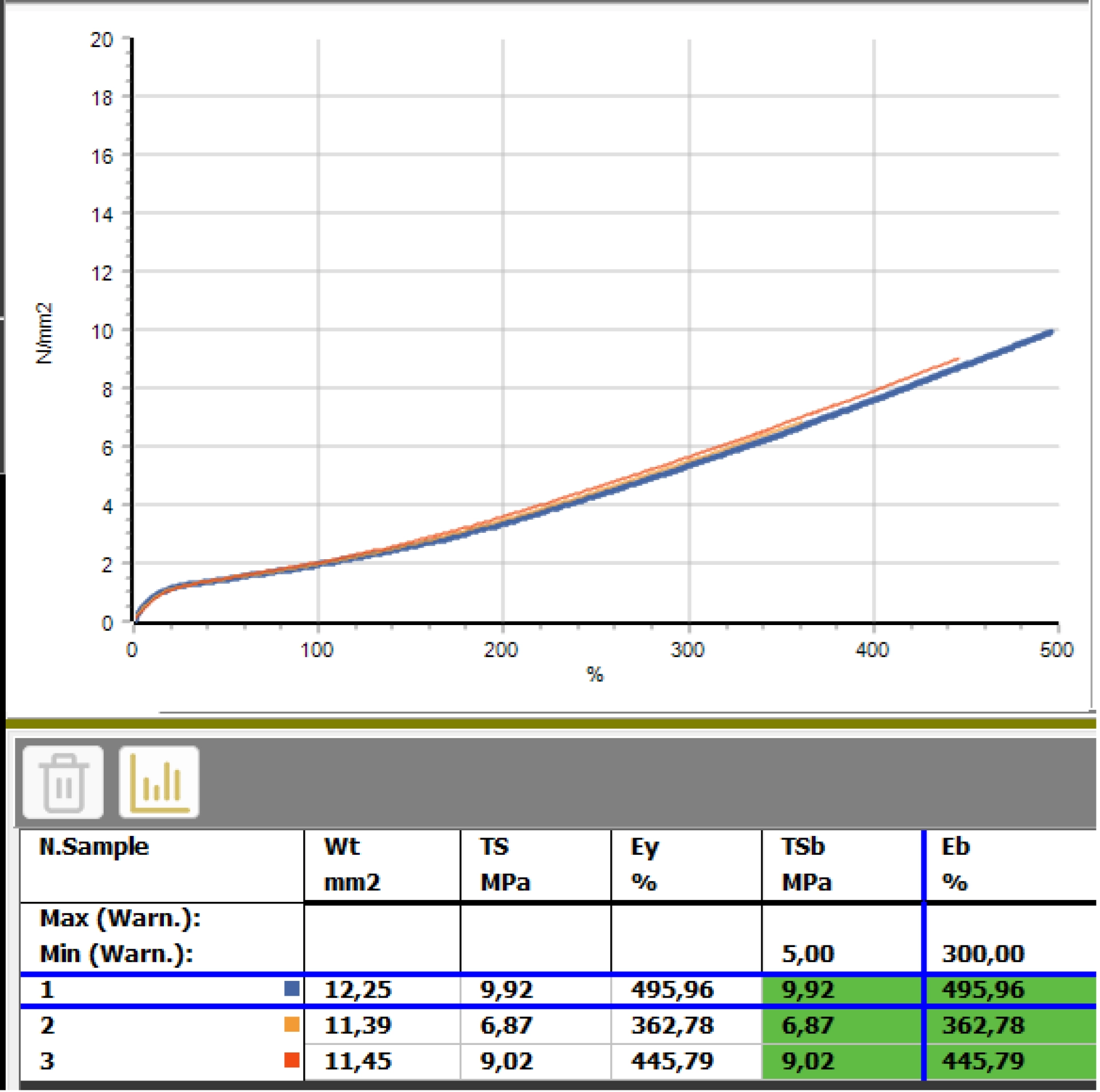
• The curves relating to the tests carried out are shown in different colors to associate them immediately with the relative results.
• By selecting a result, the corresponding curve is automatically highlighted.
• The graphical functions integrated in the programs (scale settings, the number of divisions and zoom) allow you to analyze the curves in detail.
• All the curves are saved in the database together with the test results.


Tolerance Limits 
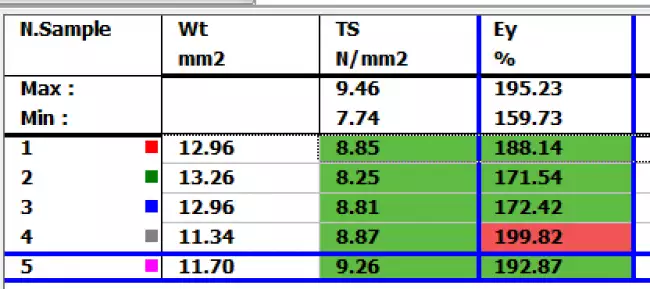
The Datagest program allows you to define specific tolerance limits for each Product, Customer, Test Procedure and Aging Treatment.
For each result to be calculated, tolerance limits and alarm limits can be defined.
The comparison between the results and the tolerance limits is carried out automatically at the end of each test: the test results are colored (Green, Yellow or Red) based on the outcome of the comparison with the limits.
The outcome of the check is saved in the database together with the results.

Calculated Results: Tensor-Check  
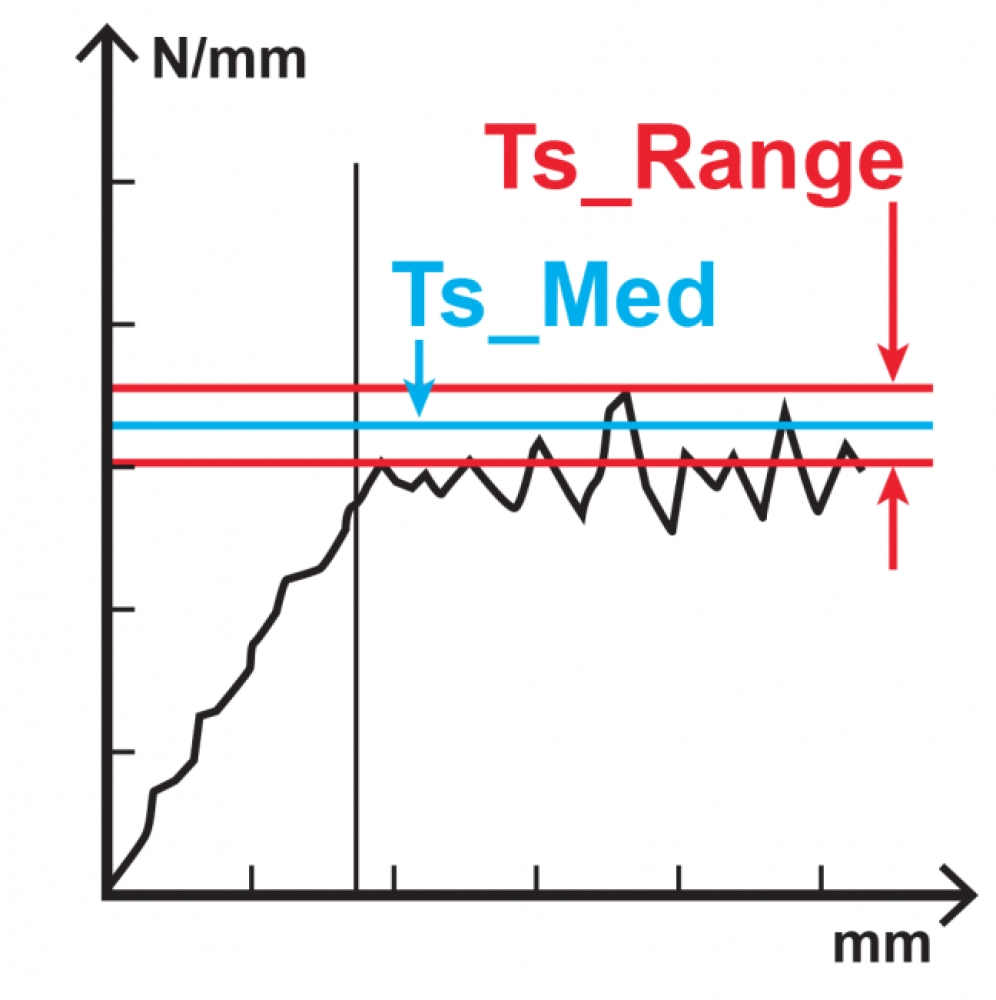
The Tensor-Check software includes numerous calculations required by international standards and specific calculations for advanced analysis of results.
The dedicated page describes all available calculations.

Test report 
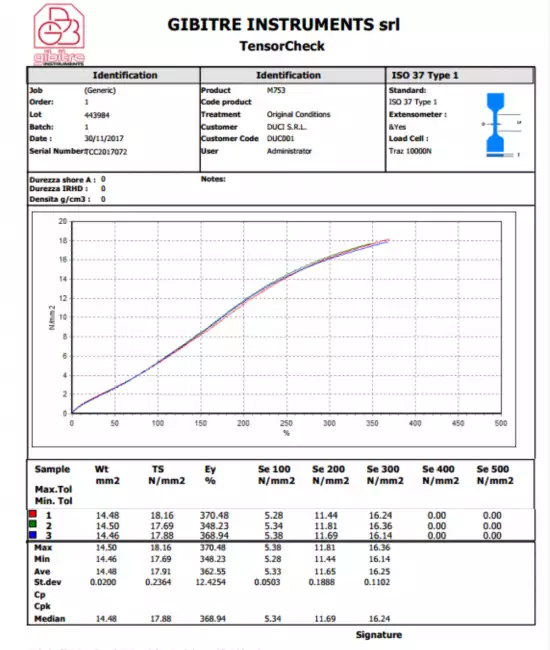
Can be printed or saved to pdf in one of the available languages. The format of the Test Report can be customized by the user.


Hardware requirements 
• Programs can be installed on standard PCs with WINDOWS 10 or 11 OPERATING SYSTEM.
• The CONNECTION between the instruments and the PC is made using the USB CABLE supplied with the instrument.
• The programs are COMPATIBLE WITH ANTIVIRUS, and other programs installed on the PC.


Language Selection 
All the programs produced by Gibitre are multi-language and allow the operator to select the language of use.
The test report can be produced in the desired language regardless of the language of use of the program.
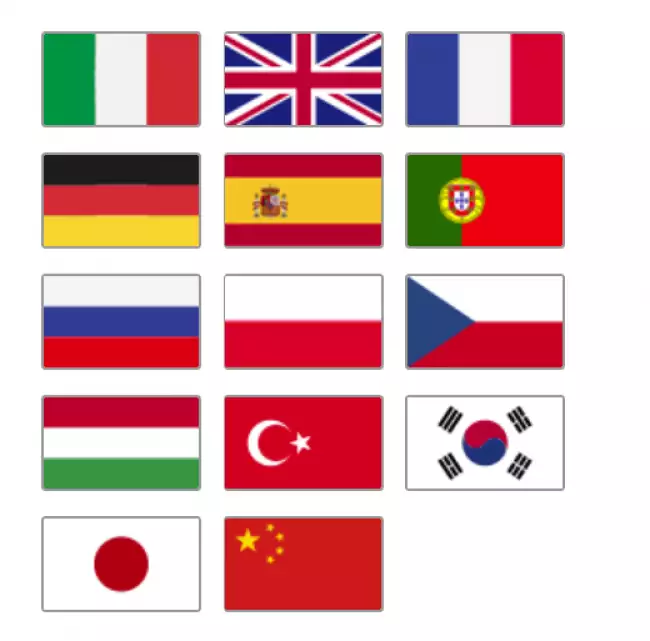
The languages available at the moment are: Italian, English, French, German, Spanish, Portuguese, Russian, Polish, Czech, Turkish, Japanese, Chinese.


Gibitre Instruments
Via dell'industria, 18
Bergamo (Italy)
te. +39 035 461146
www.gibitre.it
info@gibitre.it

Copyright Gibitre Instruments
The software permits to set automatically the instrument according to the selected test procedure, to perform the tests, to prepare test reports, to store curves and data.
Campi di applicazione  >  Prove su pneumatici  >  Rheocheck MD - Drive
TensorCheck - Software
software tensile tester: Gibitre 소프트웨어. Tensor Check 동력계 사용 프로그램. 소프트웨어 메인 페이지.
Get a Quotation

The software permits to set automatically the instrument according to the selected test procedure, to perform the tests, to prepare test reports, to store curves and data.

Pre-Installed Test Procedures 

The SQL database that is installed together with the instrument contains a collection of Test Procedures relating to standardized methods for Tensile, Tear, Compression, Peeling tests, etc.
The procedures refer to standards for Rubber, Technical Articles, Plastic, Geotextile materials, Cables, Pipes, Metal wires, Adhesives, etc.

software tensile tester: 테스트 절차: 완벽한 테스트 제어
테스트 절차: 완벽한 테스트 제어

Test Procedures 

Test procedures contain:
• settings for automatic instrument adjustment
• The cycle for performing the test
• the list of results to be calculated on the basis of what is required by international standards.

• The Datagest program allows you to: copy, modify, create Test Procedures to adapt them to your needs.

• Test procedures can be exported and imported. This allows Gibitre Remote Support to help you in the preparation and testing of customized Test Procedures.

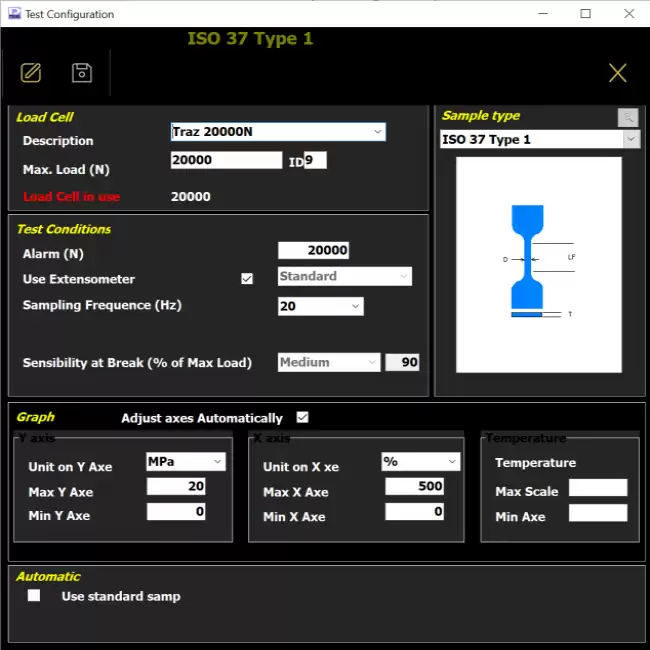
software tensile tester: 테스트 절차: 완벽한 테스트 제어 software tensile tester: 테스트 절차: 완벽한 테스트 제어 software tensile tester: 동력계 소프트웨어. 하중 셀 선택, 시편 유형 및 그래프 구성 설정을 위한 시험 절차 구성 페이지.

Insert Sample Thickness 

The instrument can be equipped with a digital thickness gauge for direct insertion of the specimen thickness.
The software:
• Receives the thickness measured in several points
• Calculate the average thickness (or minimum or median according to the norm)
• Calculates the section of the specimen based on the calculation formula defined for the type of specimen in use.

The integration with the thickness gauge allows to insert the section of the whole series of specimens that you have to try in a few seconds.

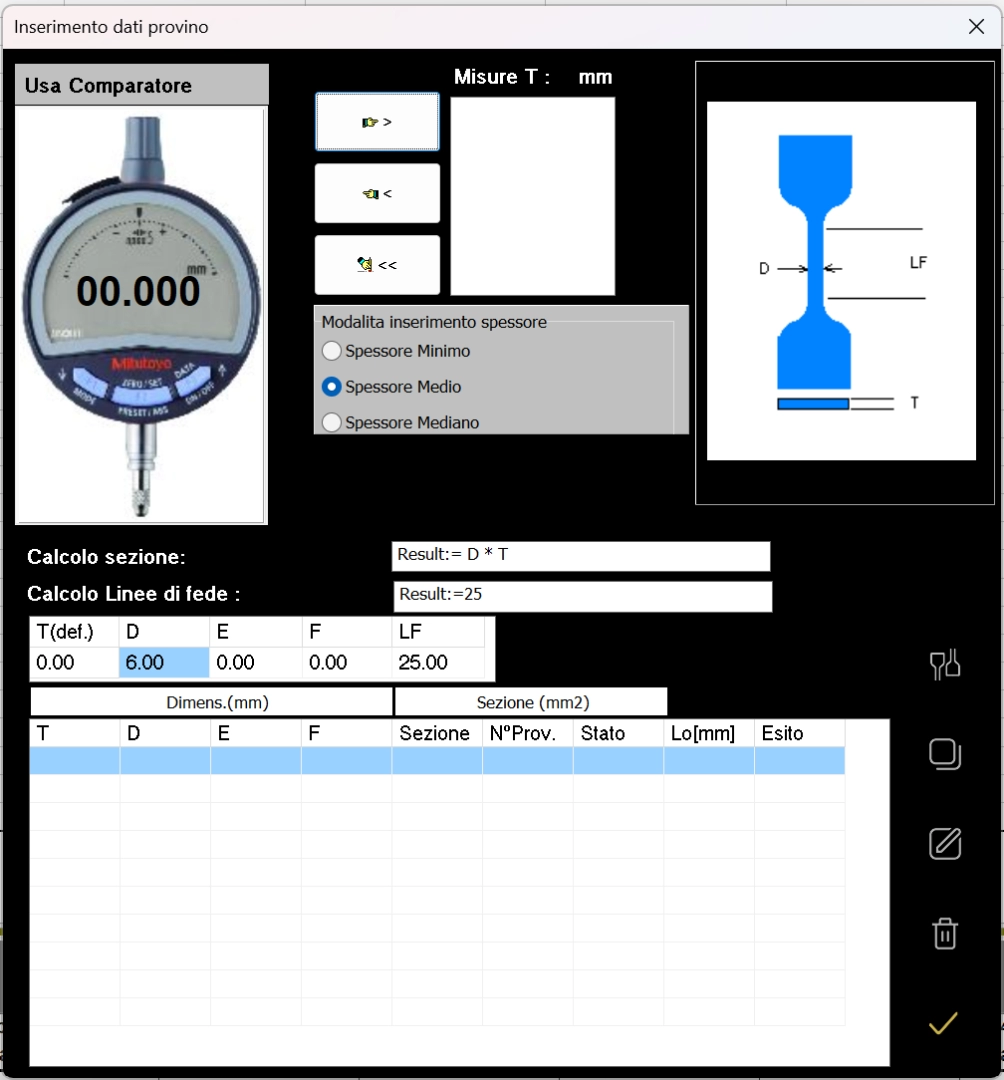
software tensile tester: 텐서-체크 동력계 소프트웨어. 계산에 사용될 시편 치수 입력 페이지. 이 페이지는 천분계 또는 수동 방식으로 치수를 입력할 수 있으며 시편 단면적을 계산합니다. software tensile tester: 텐서-체크 동력계 소프트웨어. 계산에 사용될 시편 치수 입력 페이지. 이 페이지는 천분계 또는 수동 방식으로 치수를 입력할 수 있으며 시편 단면적을 계산합니다. software tensile tester: 텐서-체크 소프트웨어. 계측기에 연결된 두께 측정기를 통해 시료의 평균 두께를 자동으로 입력하는 페이지입니다. 소프트웨어는 시료 유형에 따라 시료의 단면적을 자동으로 계산합니다. software tensile tester: 텐서-체크 소프트웨어. 연결된 비교기를 통한 두께 입력 및 사용 중인 시편 유형에 따른 저항 단면적 계산용 소프트웨어 페이지.
 

Management of Test Cycle 

Each test procedure uses a test run cycle.
The test cycle of the pre-installed procedures is already inserted and guarantees the execution of the test as required by the reference standard.
The test cycle configuration page allows the user to:
• prepare Test Procedures that perform cycles required by your product specifications
• develop fully customized test methods for study or research.

The cycle consists of a sequence of elementary instructions executed in sequence. The elementary instructions allow to control all the functions of the instrument and to carry out repeated operations in a cyclical way.

Our Remote Assistance service is at your disposal to assist you in creating even complex cycles and to send you ad-hoc prepared procedures for you that you simply need to import via the import command.
Setting up test procedures has never been easier!

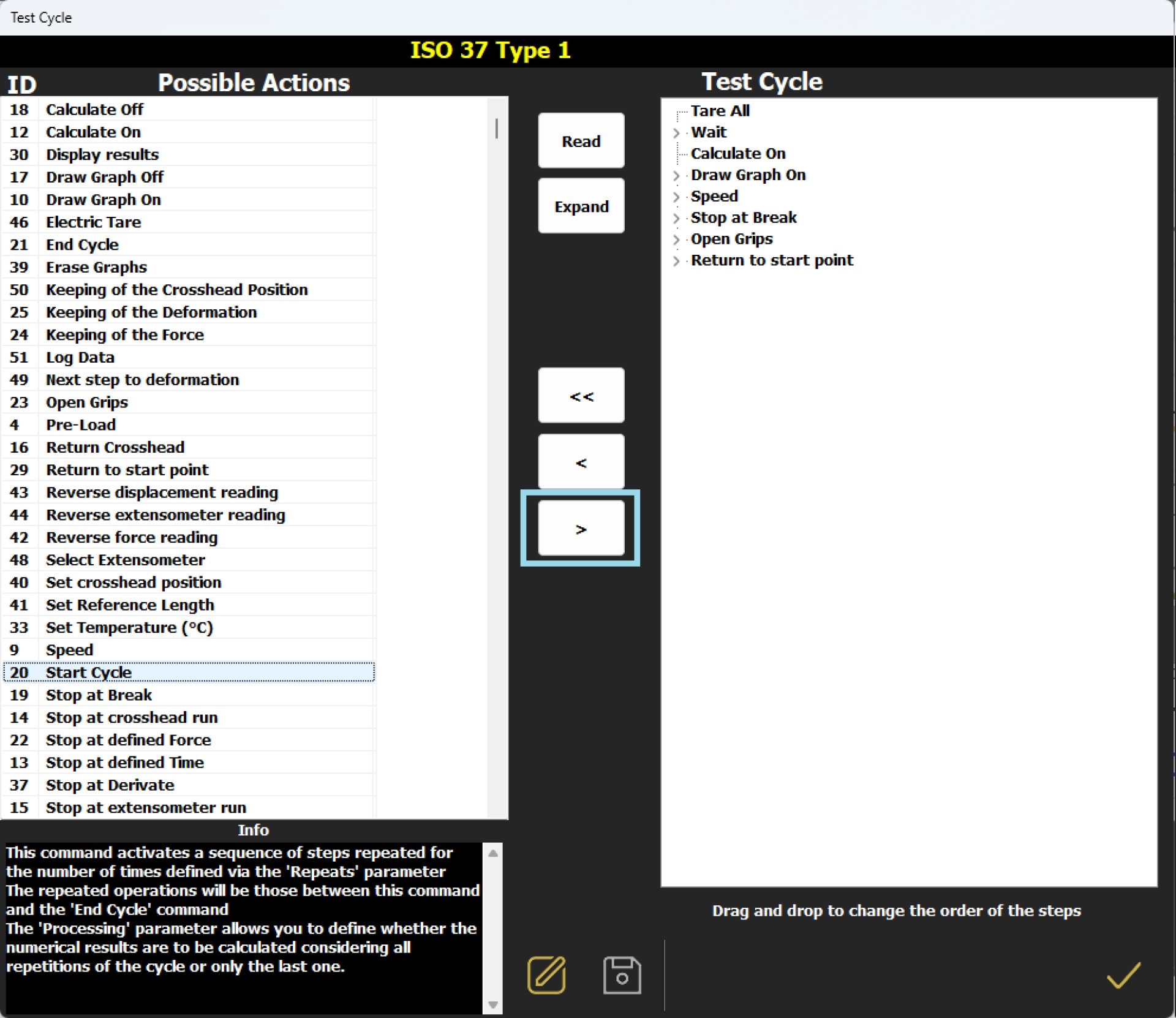
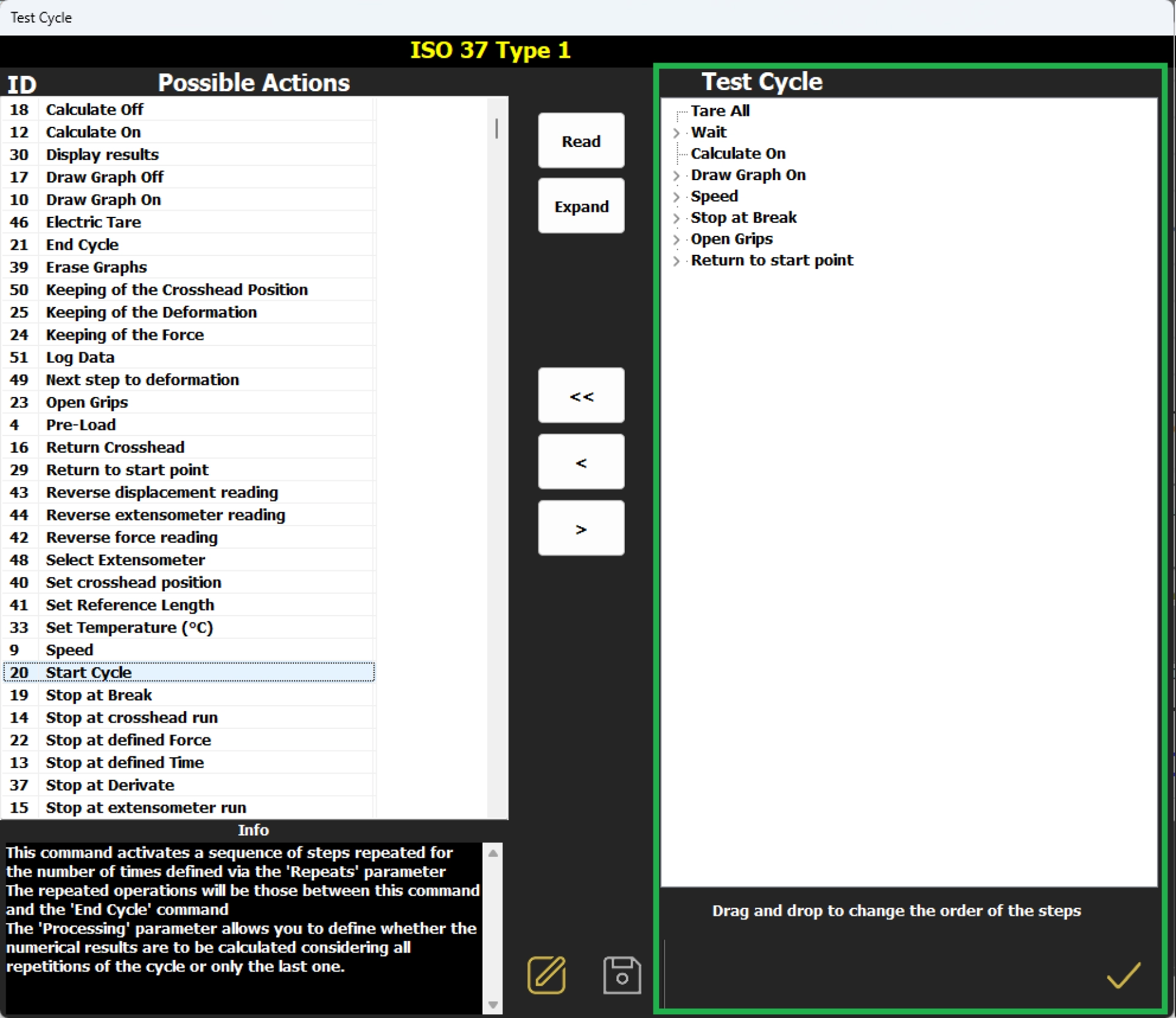
software tensile tester: Gibitre 소프트웨어. 동력계 점검을 위한 텐서-체크 프로그램. 자동 작업 순서가 있는 테스트 절차와 관련된 테스트 주기의 예입니다. software tensile tester: Gibitre 소프트웨어. 동력계 점검을 위한 텐서-체크 프로그램. 자동 작업 순서가 있는 테스트 절차와 관련된 테스트 주기의 예입니다. software tensile tester: 텐서-체크 동력계: 소프트웨어. 테스트 주기 설정 페이지. software tensile tester: 텐서-체크 동력계: 소프트웨어. 사용자 지정 테스트 주기 설정 페이지.

Management of Test Results 

The results and test curves of all the tests carried out are saved in the Gibitre SQL database and are available through the Datagest program.

Datagest is the Laboratory Information Management System (LIMS) which is always installed in combination with all Gibitre instrument-control programs.
The program is the collector for all the test result produced with the instruments connected and permits to manage the common Archives used by the instruments (Product List, Customer List, Tolerance limits, Order List, etc)

software tensile tester: 데이터게스트: 실험실을 위한 두뇌
데이터게스트: 실험실을 위한 두뇌

Test Curves 

• The curves relating to the tests carried out are shown in different colors to associate them immediately with the relative results.
• By selecting a result, the corresponding curve is automatically highlighted.
• The graphical functions integrated in the programs (scale settings, the number of divisions and zoom) allow you to analyze the curves in detail.
• All the curves are saved in the database together with the test results.

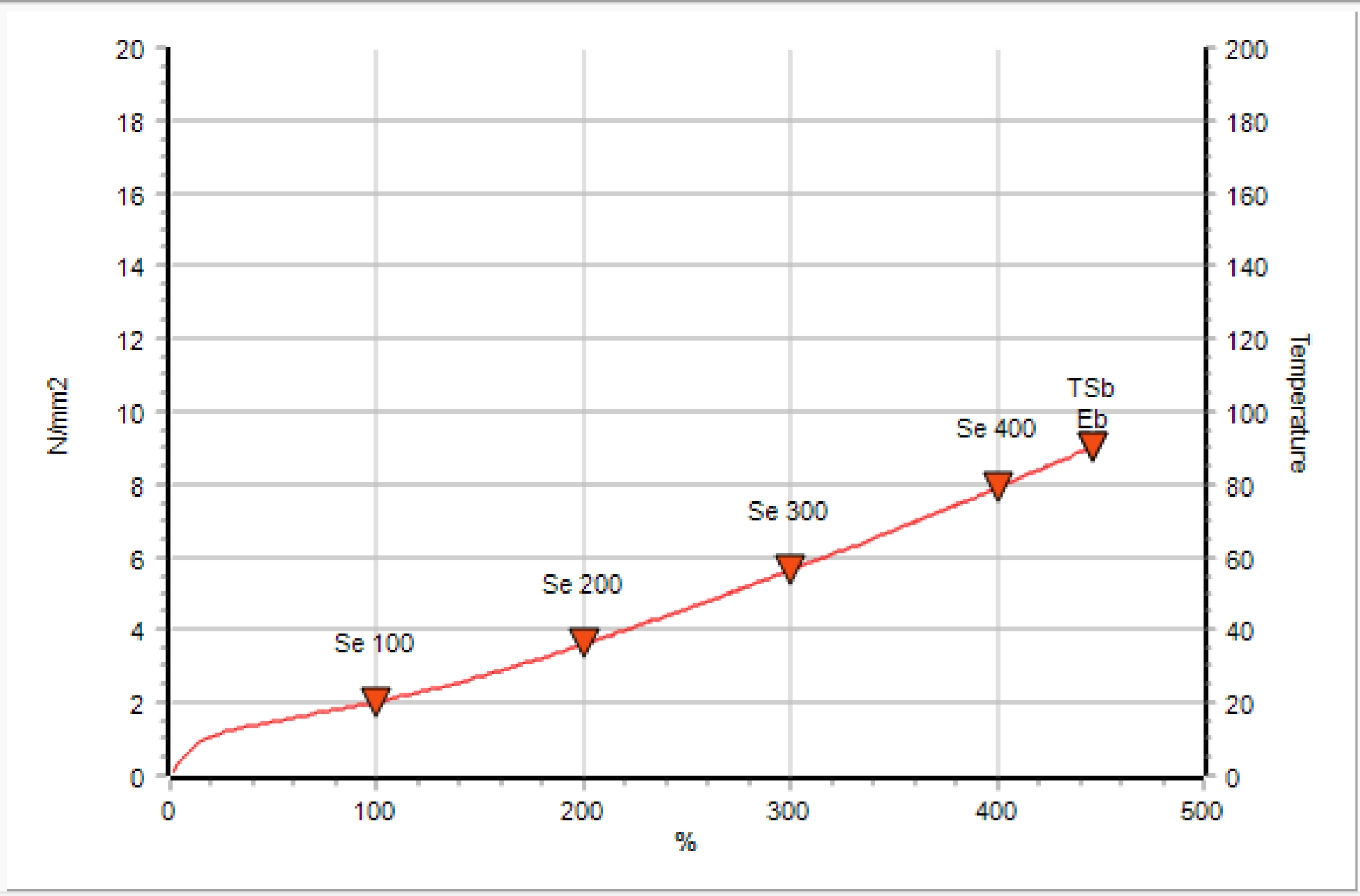
software tensile tester: 컬러 테스트 곡선: 한 눈에 보는 결과 software tensile tester: 컬러 테스트 곡선: 한 눈에 보는 결과 software tensile tester: 텐서-체크 소프트웨어는 곡선을 분석하고 결과가 계산되는 지점을 강조 표시합니다.

Tolerance Limits 

The Datagest program allows you to define specific tolerance limits for each Product, Customer, Test Procedure and Aging Treatment.
For each result to be calculated, tolerance limits and alarm limits can be defined.
The comparison between the results and the tolerance limits is carried out automatically at the end of each test: the test results are colored (Green, Yellow or Red) based on the outcome of the comparison with the limits.
The outcome of the check is saved in the database together with the results.

software tensile tester: 허용 오차 한도의 명확한 관리
허용 오차 한도의 명확한 관리

Calculated Results: Tensor-Check  

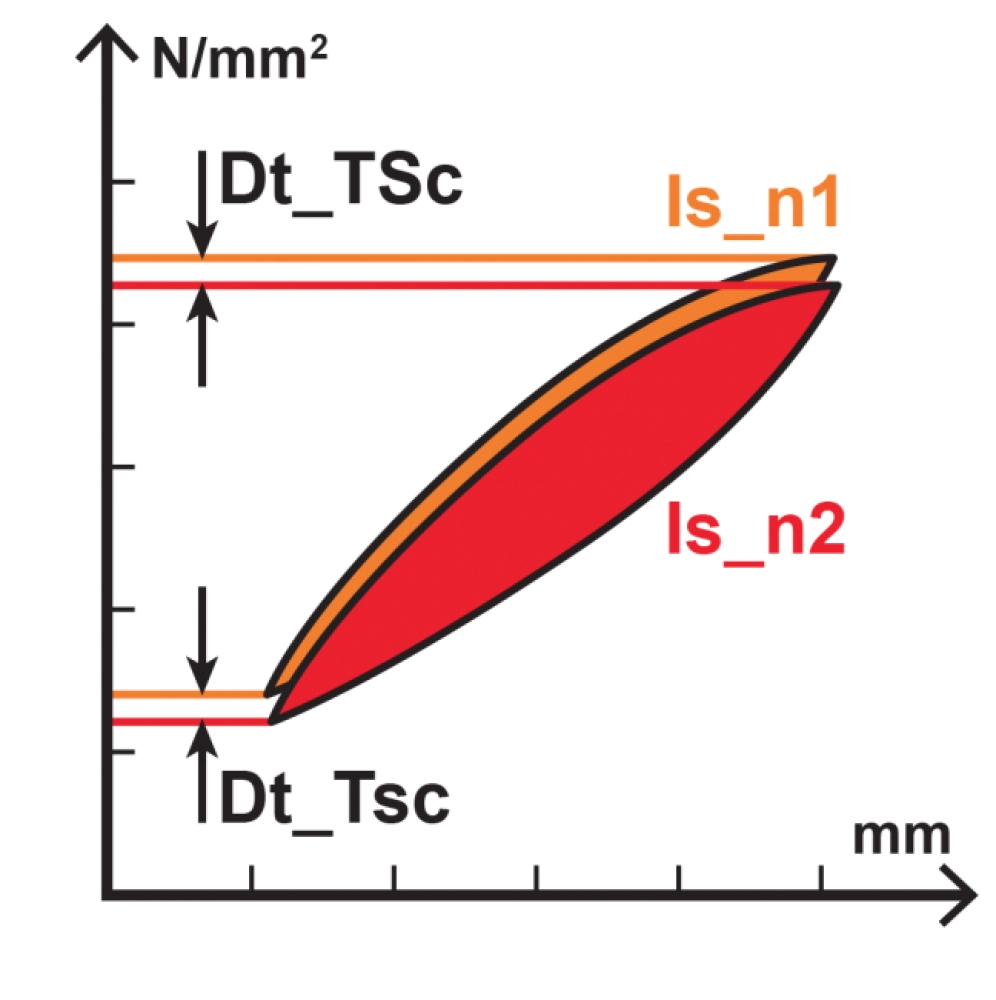
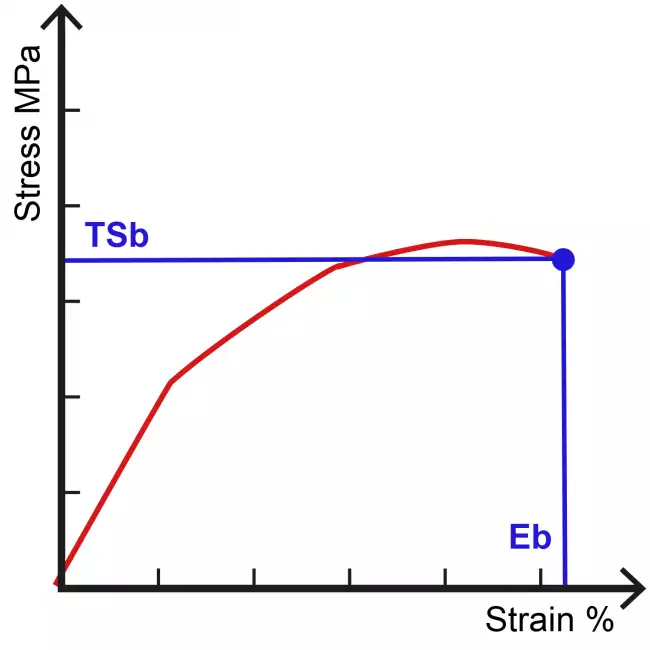
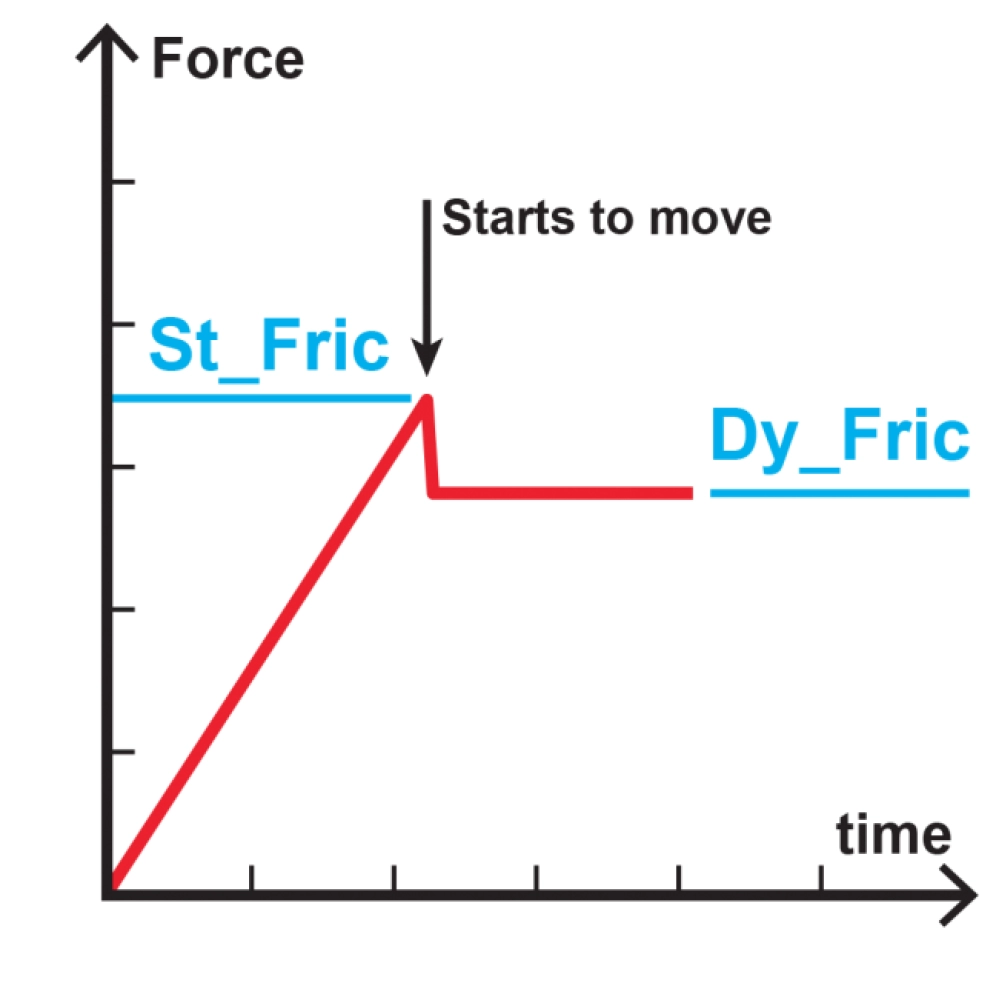
The Tensor-Check software includes numerous calculations required by international standards and specific calculations for advanced analysis of results.
The dedicated page describes all available calculations.

software tensile tester: 텐서-체크 동력계용 소프트웨어. 다중 피크 곡선을 사용한 테스트 예제입니다. software tensile tester: 텐서-체크 동력계용 소프트웨어. 다중 피크 곡선을 사용한 테스트 예제입니다. software tensile tester: Gibitre 소프트웨어. 결과 계산을 위한 공식. 텐서-체크 소프트웨어. Dt_TS(선택한 두 주기 사이의 인장 강도 값의 변화) 계산에 대한 그래픽 설명. software tensile tester: Gibitre 소프트웨어. 결과 계산을 위한 공식. 텐서-체크 소프트웨어. Eb(파단 신장률) 계산에 대한 그래픽 설명. software tensile tester: Gibitre 소프트웨어. 결과 계산을 위한 공식. 텐서-체크 소프트웨어. 정적 마찰 및 동적 마찰 계산에 대한 그래픽 설명.

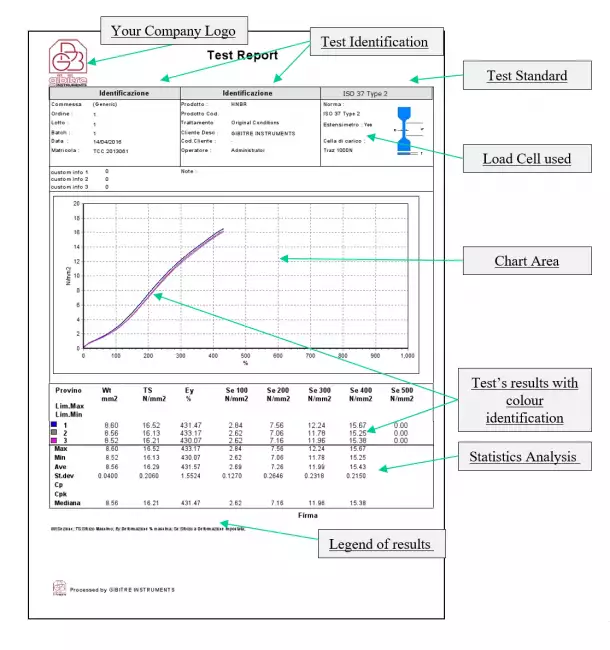
Test report 

Can be printed or saved to pdf in one of the available languages. The format of the Test Report can be customized by the user.

Example of test Report
software tensile tester: 언어 및 인쇄 형식 선택 software tensile tester: 언어 및 인쇄 형식 선택 software tensile tester: 모든 Gibitre 기기에 사용할 수 있는 곡선 및 결과가 포함된 사용자 지정 형식의 테스트 보고서에 대한 설명이 포함된 버전 10의 Gibitre 소프트웨어입니다.

Hardware requirements 

• Programs can be installed on standard PCs with WINDOWS 10 or 11 OPERATING SYSTEM.
• The CONNECTION between the instruments and the PC is made using the USB CABLE supplied with the instrument.
• The programs are COMPATIBLE WITH ANTIVIRUS, and other programs installed on the PC.

software tensile tester: 표준 PC면 충분합니다.
표준 PC면 충분합니다.

Language Selection 

All the programs produced by Gibitre are multi-language and allow the operator to select the language of use.
The test report can be produced in the desired language regardless of the language of use of the program.
The languages available at the moment are: Italian, English, French, German, Spanish, Portuguese, Russian, Polish, Czech, Turkish, Japanese, Chinese.

software tensile tester: 언어 선택
언어 선택
Download
General catalogue mail request

Tensor Check Profile - PC
Vedi anche: 텐서-체크 동력계. 계기 전체 보기.
See Also   >
News
Call to action
Ask for quotation
a guided way to ask
for a quotation
Mail
info@gibitre.it
The good old e-mail
ready for every season
Phone
+39 035 460146
We welcome your calls Monday through Friday from 8:30 a.m. to 5:30 p.m. in your local time zone.
Newsletter
Subscribe
Stay updated
with the last news
of your sector
Local agent
from: -
See the whole list

In your country
in your language
at your service
Gibitre Instruments S.r.l., Via dell'industria 73, 24126 Bergamo Italia, pec@gibitre-instruments.it P. IVA: IT02827900164 CCIAA REA Bergamo: 326486 | ©2018 - 2026 Gibitre Instruments
Optimist.it
Welcome to the Gibitre Instruments web site
Please chose the preferred Cookie Management.
Benvenuti nel sito Gibitre Instruments
Per continuare scegliete la Gestione dei Cookie che preferite.
Cookies policy
For detailed informations about the use of cookies, please read our
Cookies Management Practice.

Gestione dei Cookies
Per maggiori informazioni sui cookie utilizzati consultate la nostra
Procedura sull'Uso dei Cookies.